
How to Withdraw Money from Win7 Game?
Withdrawing money from Win7 Game is very simple. Once you win and have balance available in your account, you can cash out easily through Easypaisa, JazzCash, Bank, or USDT. Follow the steps below to withdraw your earnings safely.
Step-by-Step Withdrawal Guide
Withdrawing your balance from Win7 Game is very easy. Just follow the steps below and your payment will transfer to your wallet or bank quickly.
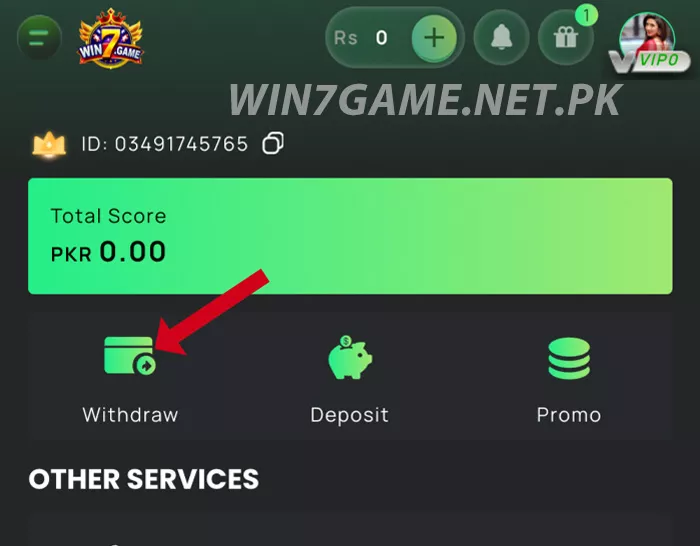
Step 1: Open the Withdrawal Page
Open the Win7 Game app and tap your Wallet / Rs icon at the top. Then select the Withdraw option from the menu.
Step 2: Add Your Wallet or Bank Account
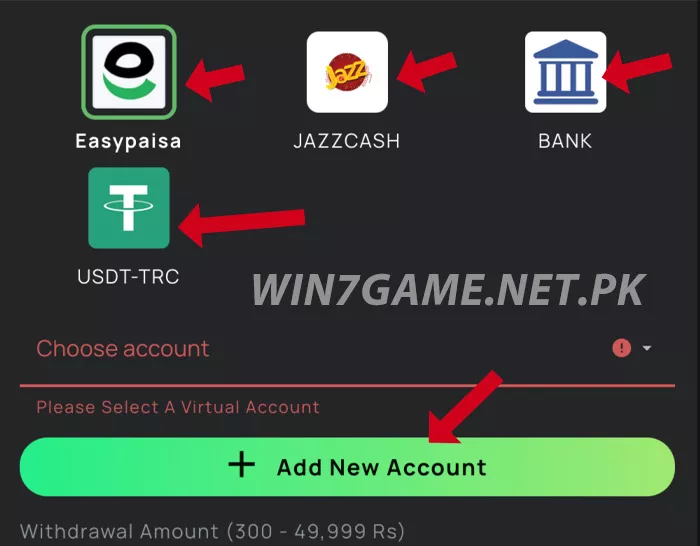
For your first withdrawal, you need to add a payout account.
Tap Add New Account, then choose one:
- Easypaisa
- JazzCash
- Bank Account
- USDT-TRC
Enter your correct number/account details and tap Confirm.
Make sure the account belongs to you for smooth withdrawal.
Step 3: Select Your Account
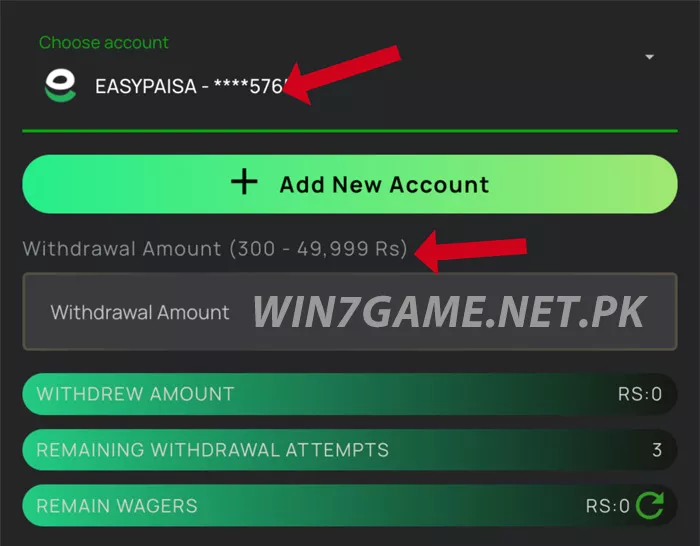
Once added, select your wallet or bank from the list under Choose Account. You will see your saved account displayed there.
Step 4: Enter Withdrawal Amount
Type the amount you want to withdraw in the box.
- Minimum: PKR 300
- Maximum per request: PKR 49,999 (for mobile wallets)
Choose any amount within this range.
Step 5: Submit
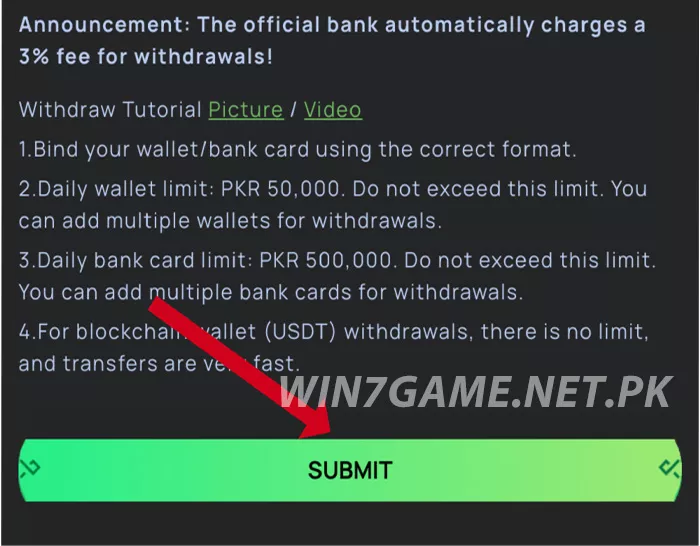
After entering the amount, tap Submit. Your request will be processed and your funds will be sent to your selected wallet/bank. Withdrawals usually complete quickly, but sometimes it may take a little time depending on payment load.
Additional Notes
- You can add multiple wallets for withdrawal
- Bank withdrawals include a small 3% bank fee (shown in-app)
- Use the same owner details to avoid delays
- You get a limited number of withdrawals per day
That’s it, your withdrawal will be processed, and you’ll receive your amount soon.