
How to Deposit Money in Win7 Game?
To start playing real-earning games on Win7, you need to add balance to your wallet. The app supports instant deposits in Pakistan through JazzCash, Easypaisa, bank transfer, and even crypto. The process is smooth and takes only a few seconds.
Follow the guide below to fund your account easily.
Step-by-Step Deposit Process
Deposit Win7 Game is straightforward. The interface is simple, and you can complete the whole process without any confusion. Just follow these steps to add money to your wallet securely.
Step 1: Go to the Wallet Section
Open the Win7 Game app and tap the Wallet / Rs icon at the top. This will take you to the deposit screen.

Step 2: Complete KYC (First Time Only)
For your first deposit, you’ll see a small popup asking for your full name. Enter your correct name and tap Submit. This step verifies your account for secure transactions.

Step 3: Select Deposit Method
Choose the payment method you want to use:
- JazzCash
- Easypaisa
- Bank Transfer
- Crypto
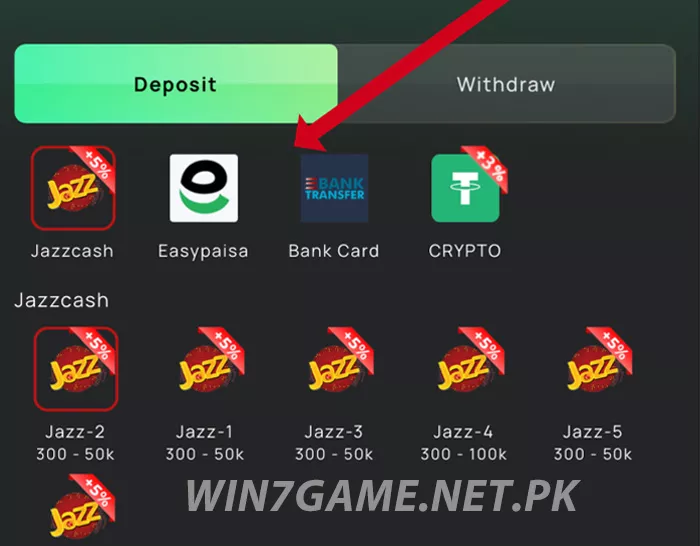
Most users prefer JazzCash or Easypaisa because they are fast and easy.
If multiple channels appear (like Jazz-1, Jazz-2), select any active one.
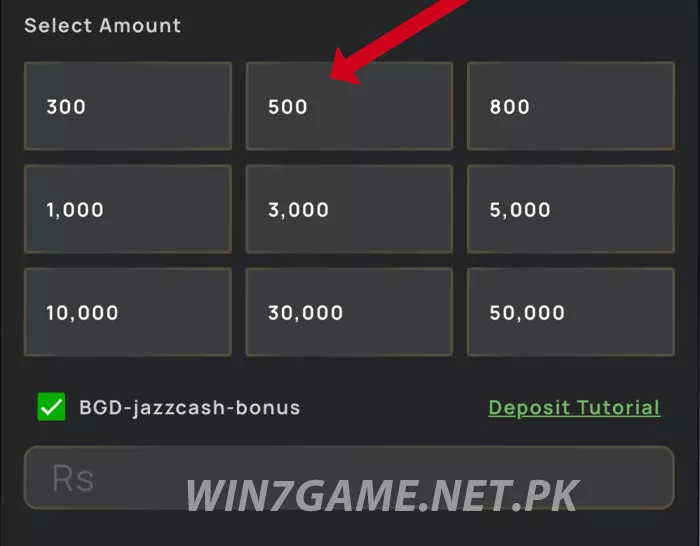
Step 4: Choose the Deposit Amount
Select your amount from the list or enter it manually. Common options include: 300, 500, 800, 1,000, 3,000, 5,000, 10,000+ You can start small and increase later based on your comfort.
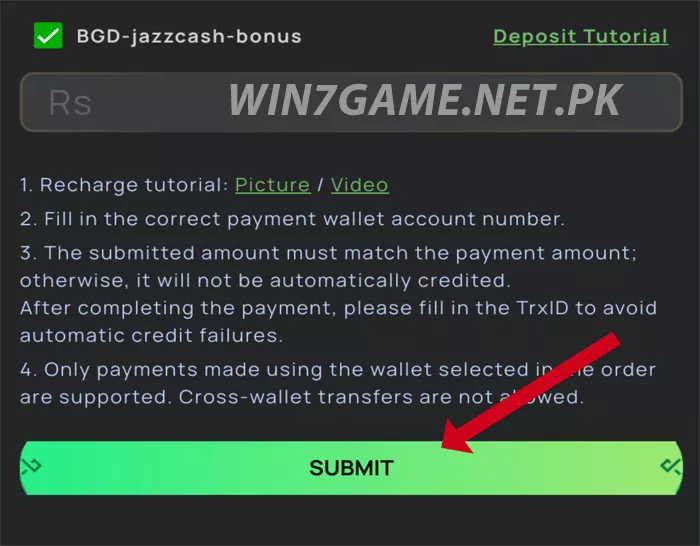
Step 5: Confirm & Continue
Tap Submit to proceed. You’ll be redirected to the payment page. Select your wallet type (JazzCash / Easypaisa) and enter your 11-digit number.
Step 6: Approve the Payment
Open your JazzCash or Easypaisa app and approve the transfer. Once confirmed, your Win7 balance will update shortly.
Most deposits reflect instantly, if not, refresh the app once.
Conclusion
Depositing in Win7 Game is quick and secure. Always use your own mobile wallet for smooth transactions and future withdrawals. Start with the amount you’re comfortable with, explore the games, and enjoy the experience responsibly.