
How to Register on Win7 Game?
Creating your account on Win7 Game is quick and beginner-friendly. The app is made for Pakistani users, so the sign-up process is simple, no long forms or complicated steps. With just your phone number and a password, you can enter the platform, unlock bonuses, and start playing instantly.
Getting started only takes a moment. Follow the steps below to create your account and enter the app successfully.
Step 1: Open the Win7 Game App
Install the latest Win7 Game APK and launch the app. You’ll see the login/registration screen right away. The interface is clean and makes the process very smooth.
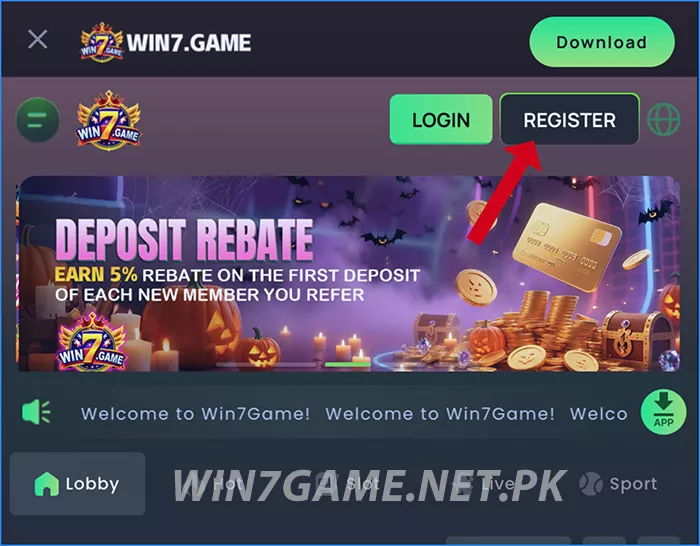
If the app doesn’t open on Wi-Fi, switch to mobile data, it works faster for first-time login.
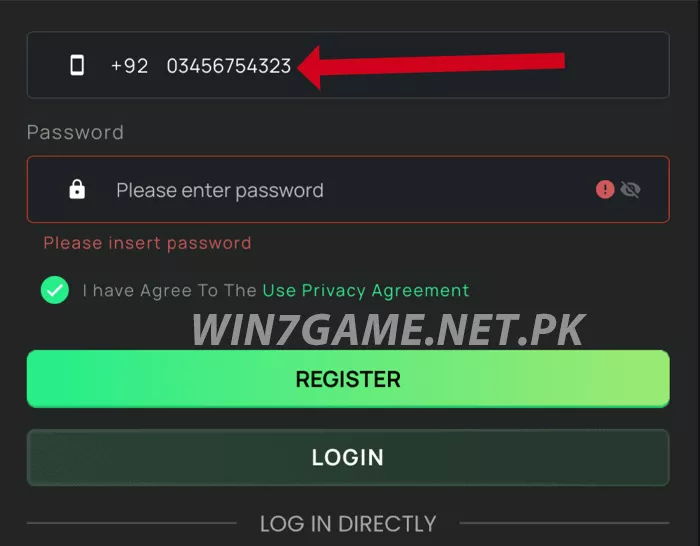
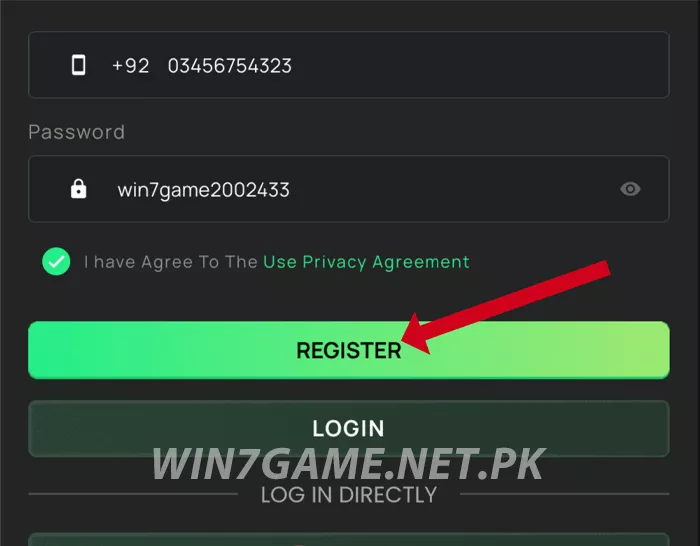
Step 2: Enter Your Mobile Number
Type your active Pakistani phone number (starting with +92). This will be your main login account, so make sure it’s a number you use regularly for better security and recovery options.
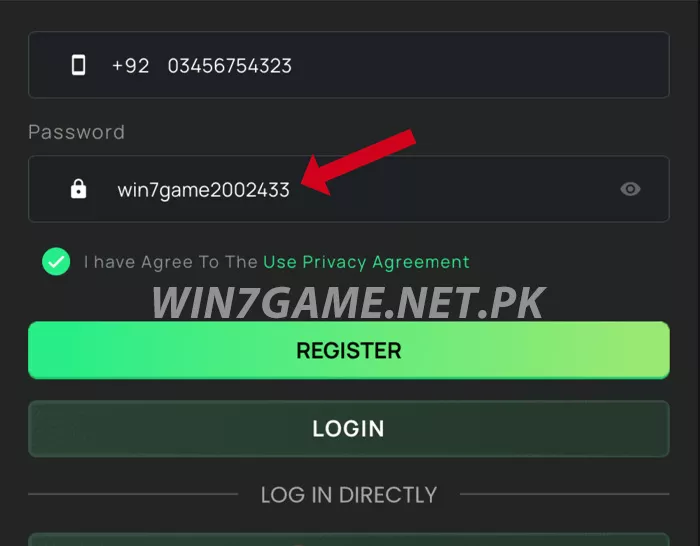
Step 3: Create a Password
Choose a secure password you can remember. Avoid simple codes like 123456 or your phone number, a strong password keeps your wallet safe.
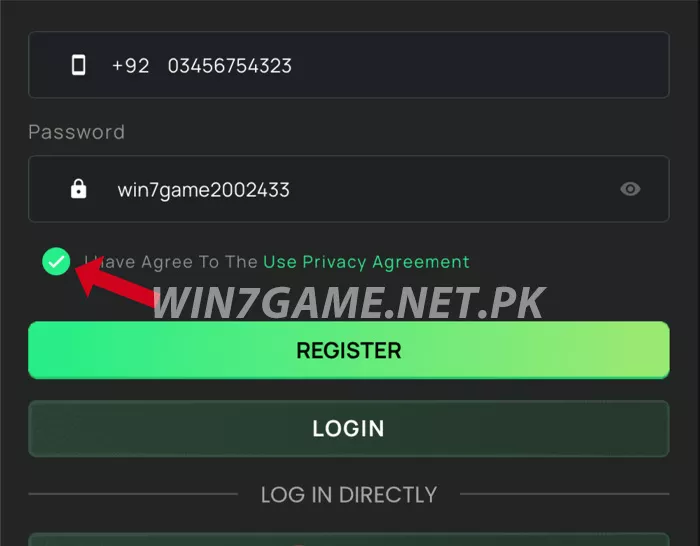
Step 4: Accept Term
Tick the box to agree to the User & Privacy Policy. Only users 18+ are allowed to play, so make sure you meet the requirement.
Step 5: Tap Register
Press the REGISTER button. Your account will be created immediately, no extra verification steps required.
Step 6: Login & Continue
Now log in with your number and password. You’ll enter the main lobby where you can explore games, bonuses, and wallet options.
Registration Tips
- Use your own active SIM number
- Remember your password or save it somewhere safe
- If login fails, switch to mobile data
- Bind your wallet later to withdraw smoothly
You’re Ready to Start
That’s it, your account is now set. Next, you can claim your bonus, explore games, and begin playing.